Student Register dialog
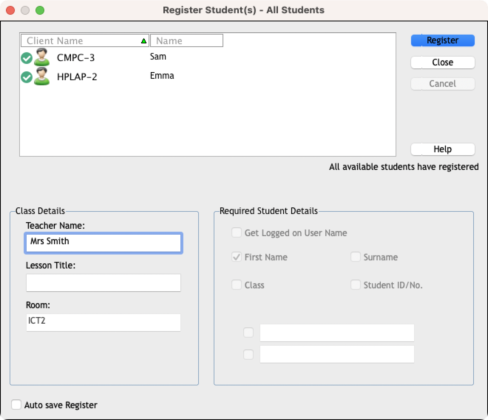
This dialog enables the Tutor to create a customised registration form, which will prompt Students for their details.
Student Register dialog
Class Details
If required, the teacher name, lesson title and room can be included on the registration form that is sent to Students.
Required Student Details
Decide which details to prompt the Students for. You can also add two custom fields to the form.
Auto Save Register
You can save a copy of the registration report by checking this option. You will be prompted for a file name, location and file format (CSV, HTML or XML).
Click Register to send the form to Student machines. You can monitor progress as the Students respond. Click Close when all Students have signed in, the Student icon in the Tutor Console will now display the registered name.